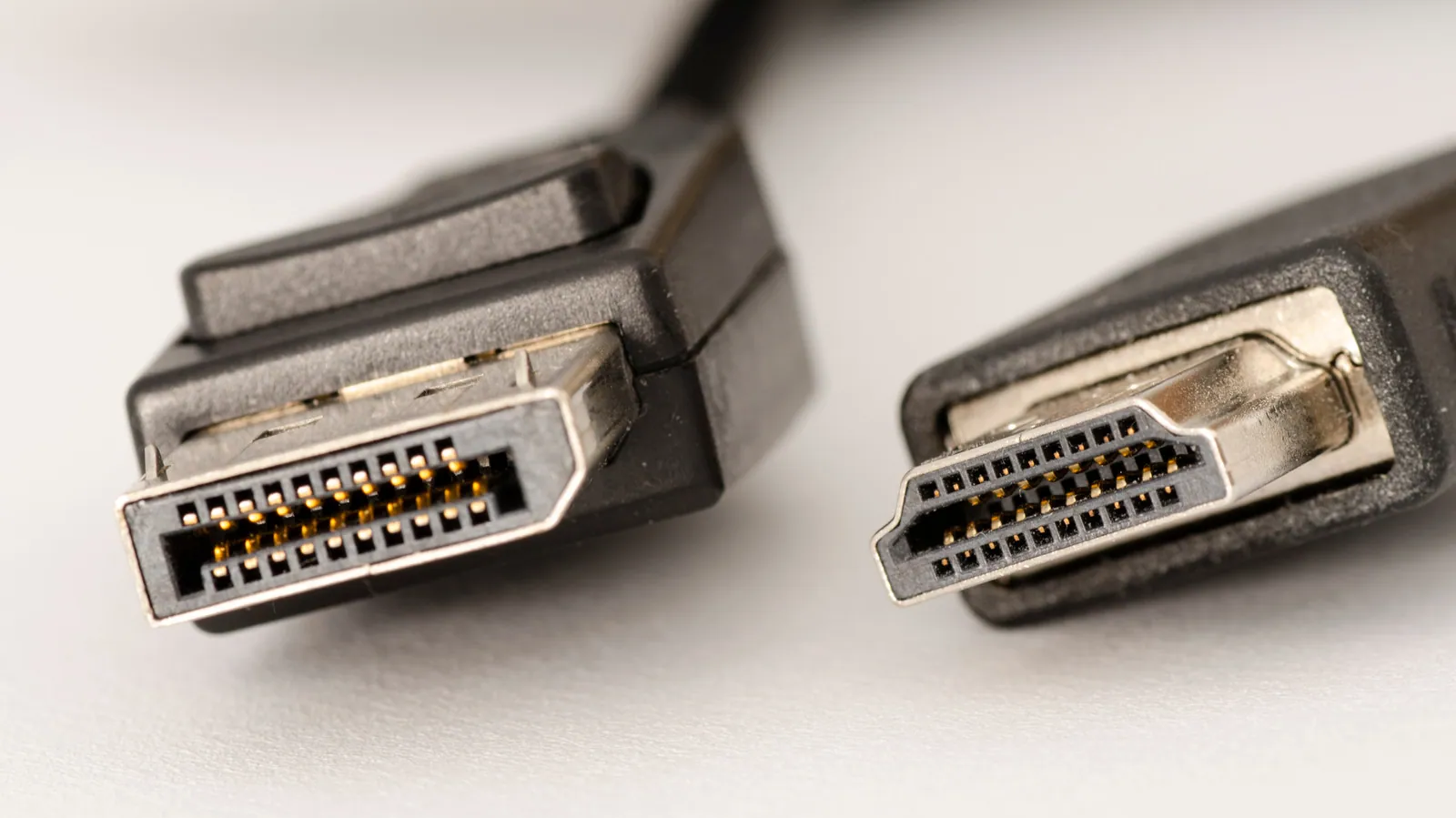
A monitor usually ships with two video cables and has a third port you were not given a cable for. The choice between them is not about which interface is better in the abstract — it is about which one carries the format you need, over the length you need, with the extras (power, daisy-chaining, audio return) that your setup depends on. This compares the three on the terms that decide a purchase.
What each interface actually gives you
| HDMI 2.1 | DisplayPort 2.1 | USB-C (DP Alt Mode) | |
|---|---|---|---|
| Maximum bandwidth | 48Gbps (FRL) | 80Gbps (UHBR20) | 80Gbps, by carrying DisplayPort |
| Certified cable category | Ultra High Speed | DP40 / DP54 / DP80 | USB4 40Gbps / 80Gbps |
| Power to the device | No | No | Yes — up to 240W (USB PD 3.1 EPR) |
| Daisy-chain two monitors | No | Yes (MST) | Yes, via DisplayPort MST |
| Audio back to a soundbar | Yes (eARC) | No | No |
| One-remote control | Yes (CEC) | No | No |
| Variable refresh rate | VRR, ALLM | Adaptive-Sync | Adaptive-Sync via DisplayPort |
| Found on | TVs, consoles, AV receivers | Graphics cards, PC monitors | Laptops, tablets, phones, docks |
For a version-by-version breakdown of the two video standards, see the differences between HDMI and DisplayPort versions.
Which one is better for your monitor, and what to specify
Media, TVs and consoles → HDMI. An Xbox Series X or PlayStation 5 has no DisplayPort output at all, so the decision is made for you. HDMI also owns the two features a living room needs and DisplayPort has no answer for: eARC, which sends audio back down the same cable to a soundbar or receiver, and CEC, which lets one remote control the whole chain.
PC gaming and multi-monitor → DisplayPort. More headroom (80Gbps against 48Gbps), and MST lets a second monitor chain off the first instead of running a second cable back to the graphics card. For high-refresh panels this is the connector graphics-card makers optimise for.
A single-cable desk → USB-C. This is the only one of the three that carries video, data and power at once. One cable to the laptop drives the display, runs the hub and charges the machine at up to 240W. Nothing on the desk needs a second cable — which is exactly why it is the connector that laptop and dock buyers now ask for by name.
USB-C is not a fourth video standard
A point worth being precise about, because it changes what you buy: USB-C is a connector, not a video specification. When a USB-C port outputs video it is doing so in DisplayPort Alt Mode — it is carrying a DisplayPort signal in a different shell. So a USB-C connection inherits DisplayPort's capabilities and DisplayPort's limits.
The practical consequence: a USB-C port on a laptop and a USB-C port on a phone can behave completely differently, because a USB-C connector does not guarantee that video, high-power charging or 40Gbps data are present at all. The port tells you the shape. Only the specification behind it tells you what it does — and only a certified cable guarantees the cable will not be the limiting factor.
Cable length is where specification meets physics
Every figure above assumes the cable can actually carry it, and the higher the rate, the shorter the copper can be. As a rough guide for passive cables: HDMI Ultra High Speed is certified in lengths up to about 3m; DisplayPort at UHBR20 and USB-C at 40Gbps drop to roughly a metre before insertion loss and skew put the link at risk. Past those lengths the honest answer is an active or optical (AOC) cable, not a longer passive one.
This is the single most common cause of a "the specification says it works but the screen flickers" complaint. The device pair is fine; the cable is out of budget.
Where our own cables sit
- HDMI A 8K/60 Certified Cable — PF331S — 48Gbps, ATC test confirmation at 1.5 m and 3 m
- HDMI A 16K 96Gbps Cable — PF442A — built for the 96Gbps tier
- HDMI A 4K AOC Cable — PLT288 — active optical, for runs past passive limits
- DisplayPort 8K Cable — PF379
- USB Type-C 40Gbps / 240W Cable, 2m — PLT588 — video, data and full EPR power on one cable
Ask us for the specification sheet
Tonetron is the export brand of Dongguan Taitron Electronic Limited (东莞台昶电子有限公司), a cable and connector manufacturer in Dongguan, Guangdong, China, established in 1984. We build HDMI, DisplayPort, USB-C and custom cables on our own lines and ship factory-direct to more than 40 countries.
- Email: sales@tonetron.com
- Phone: +86-0769-83356158
- Contact form: tonetron.com/contact
Tell us the target specification, quantity and destination market and we will send the matching datasheet and a quote.