DisplayPort Cable — OEM / ODM Manufacturer
Tonetron manufactures DisplayPort 1.2, DisplayPort 1.4 and Mini DisplayPort cables in Dongguan for monitor brands, PC builders and importers, with OEM/ODM options for jacket, connector plating, length and packaging.
3 of 3 products
-
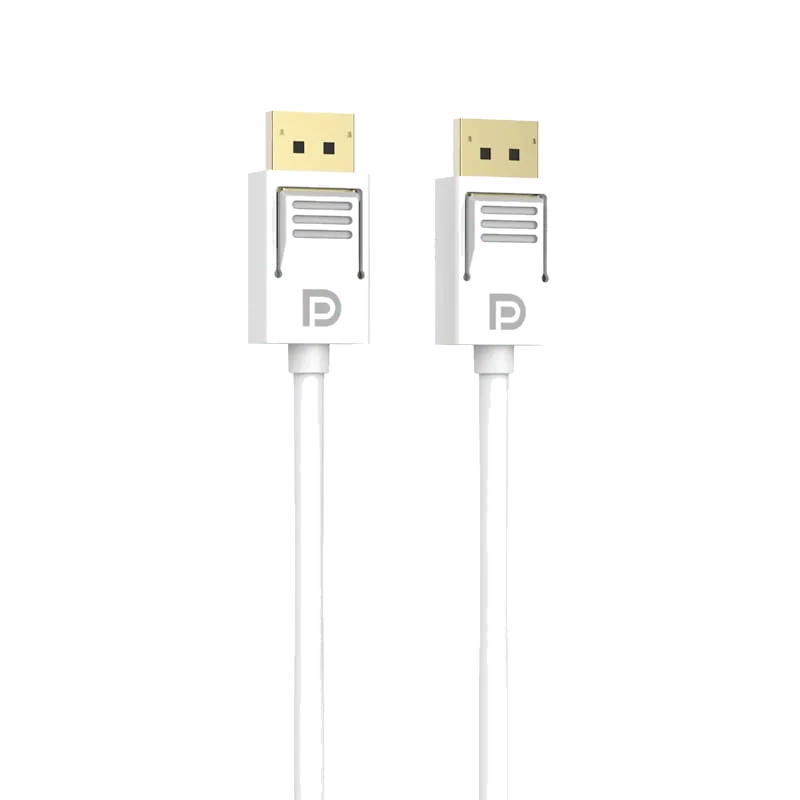 DisplayPort 1.2 4K Cable - MP379 DisplayPort V1.2 cable supporting 1080P@144Hz and 4K@60Hz with 21.6Gbps bandwidth for professional DP graphics cards and monitors.
 -
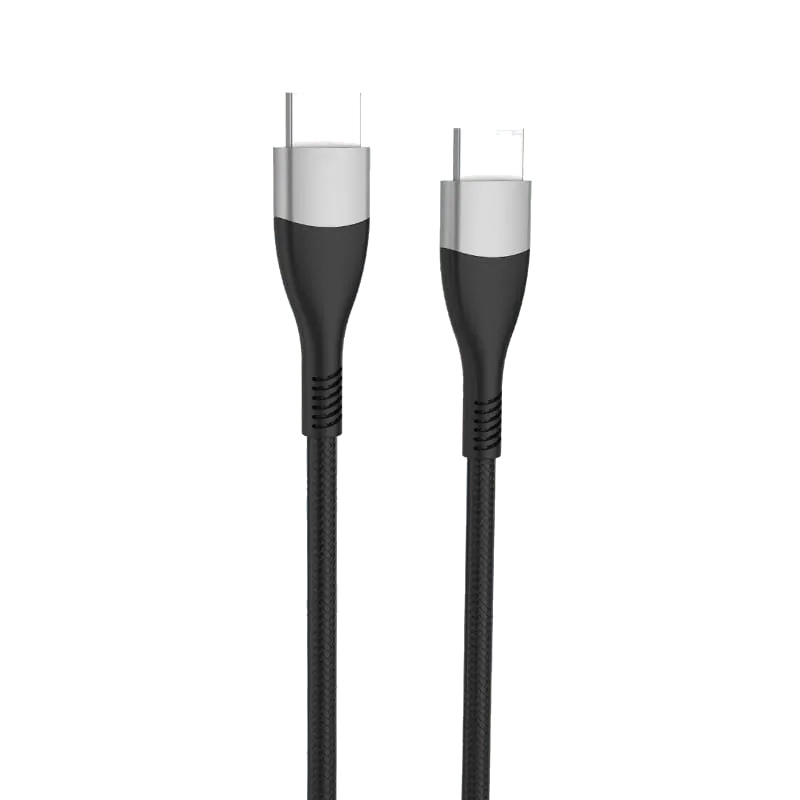 DisplayPort 1.4 8K Cable - PF379 DisplayPort 1.4 cable supporting 8K@60Hz with 32.4Gbps bandwidth, nylon braided jacket and no-lock connectors.
 -
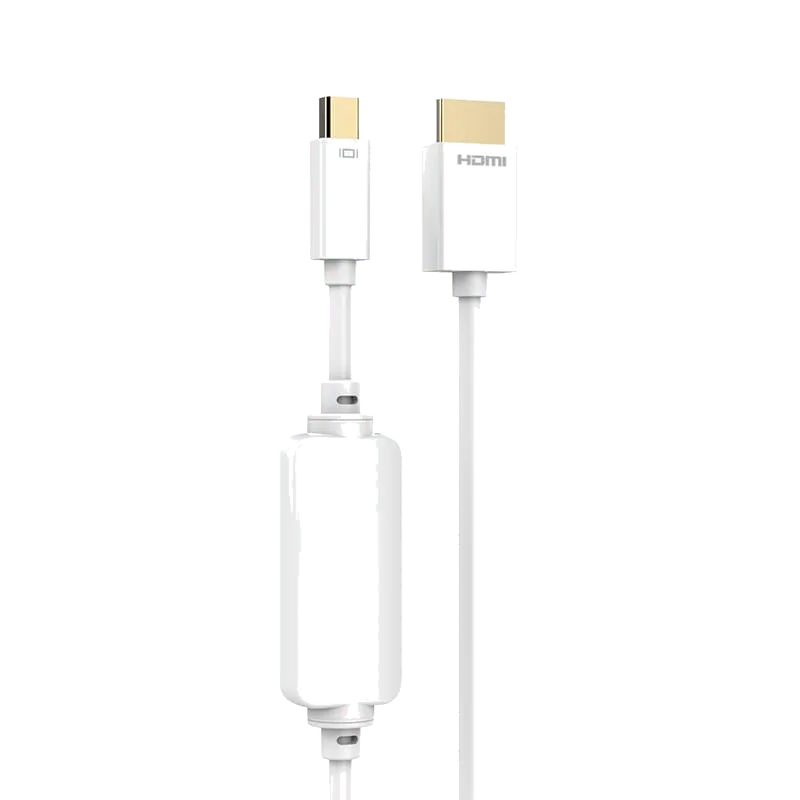 MiniDP to HDMI A 1080P Cable - MP340 2-meter Mini DisplayPort to HDMI cable delivering up to 1080P@60Hz audio and video from a Mini DP source to a display, projector or TV.
No products match your filters. Try adjusting the search or filters.
What we manufacture
The DisplayPort range covers three catalog families, each of which can be adapted to a buyer's own specification.
DisplayPort 1.2 cable (MP379). A full-size DP male to DP male cable rated for 21.6 Gbps (HBR2). It carries 4K at 60 Hz or 1080p at 144 Hz, which suits office monitors and mainstream gaming displays. Construction is 24K gold-plated DisplayPort connectors, OFC oxygen-free copper conductors, a PVC jacket and a white ABS connector housing.
DisplayPort 1.4 cable (PF379). A full-size DP-to-DP cable rated for 32.4 Gbps (HBR3), supporting 8K at 60 Hz with DSC or 4K at 120 Hz. This model uses nickel-plated no-lock connectors, OFC conductors, a nylon braided jacket with SR strain-relief reinforcement and an aluminum alloy housing. It is the current choice for high-refresh gaming monitors, workstation displays and graphics cards with DP 1.4 outputs.
Mini DisplayPort to HDMI cable (MP340). A 2 m Mini DP male to HDMI Type A male cable that outputs up to 1080p at 60 Hz to the HDMI 1.4 standard. It carries audio together with video when the receiving display supports audio, and removes the need for a separate HDMI cable when connecting a Mini DP laptop or dock to a TV, projector or monitor. It uses a 24K gold-plated connector, OFC conductor, PVC jacket and ABS housing.
Connector options for OEM orders include latching (locking) DisplayPort heads or the no-lock design used on the PF379, gold or nickel plating, and ABS or aluminum alloy housings. Jackets can be specified as PVC or nylon braid, in the colors and lengths a customer requires. Shielding construction is specified per order to suit the target DP class and cable length, so that the finished assembly carries its rated bandwidth over the length ordered.
Specification ranges
| DP class | Bandwidth | Resolution and refresh example | Passive length | Typical application |
|---|---|---|---|---|
| DisplayPort 1.2 | 21.6 Gbps (HBR2) | 4K at 60 Hz; 1080p at 144 Hz | Standard lengths on request; longer runs at reduced rate | Office monitors, mainstream gaming, digital signage |
| DisplayPort 1.4 | 32.4 Gbps (HBR3) | 4K at 120 Hz; 8K at 60 Hz with DSC | Typically up to about 3 m at full rate | High-refresh gaming, workstation and color-critical displays |
| DisplayPort 2.1 (UHBR20) | 80 Gbps | Higher resolution and refresh combinations with DSC | Short passive lengths only; quoted per project | Next-generation graphics cards and monitors; handled as custom development |
| Mini DisplayPort to HDMI | HDMI 1.4 output | 1080p at 60 Hz | 2 m catalog length | Laptops and docks to TVs, projectors and monitors |
DSC (Display Stream Compression) is available on DisplayPort 1.4 and 2.1 and is what allows 8K at 60 Hz over a 32.4 Gbps link. A cable does not add or remove DSC; the graphics card and display negotiate it. What the cable must do is carry the full bit rate of its class without errors over the ordered length, which is why length and class are specified together.
Certification and testing
Every DisplayPort cable in this range is designed to the DisplayPort specification for its class. We do not describe these products as VESA certified; buyers who need certification for their own brand should raise this at the quotation stage so that the program and cost can be planned.
The factory itself operates under ISO 9001 quality management certified by SGS and holds a BSCI social-compliance audit. Materials are RoHS and REACH compliant, and compliance documents are supplied with the order. We have been an HDMI Adopter for 20 years. Our USB4 Gen3 Type-C cable passed USB-IF certification testing in 2022 (Test ID 6801); our USB-IF membership has since lapsed, so it no longer appears in USB-IF's public product search.
Outgoing inspection is run under the ISO 9001 system. State in your inquiry which test items and reports your order requires, and whether a buyer or third-party pre-shipment inspection is planned, so that these are built into the schedule and quotation.
How to specify for a quote
- DP class and bandwidth required: DisplayPort 1.2 (21.6 Gbps), DisplayPort 1.4 (32.4 Gbps) or a DisplayPort 2.1 development request.
- Connector configuration: DP to DP, Mini DP to DP, or Mini DP to HDMI, with latching or no-lock heads.
- Plating and housing: 24K gold or nickel plating; ABS or aluminum alloy shell; housing color.
- Cable length and jacket: PVC or nylon braid, outer diameter and color, and whether SR strain relief is required.
- Target resolution and refresh rate the end product must support, so that length and construction can be matched.
- Quantity per model, packaging (bulk, polybag, retail box, private label) and any logo printing on the housing or jacket.
- Compliance documents needed: RoHS, REACH, ISO 9001 certificate copy, test reports.
Terms
MOQ starts at 1,000 pcs per model. Items in stock ship from inventory; customized cables are typically delivered in 30 days after sample approval. Payment is T/T with a 30 percent deposit and 70 percent against the bill of lading, and terms are negotiable for repeat programs. Quotations are issued within 24 hours of receiving a complete specification. With a 50,000 square meter self-owned factory, more than 300 employees and output above 1,000,000 cables per month, Dongguan Taitron Electronic Limited supplies OEM and ODM buyers in more than 40 countries.
Frequently asked questions
What is the difference between the DisplayPort 1.2 and DisplayPort 1.4 cables you make?
The MP379 is a DisplayPort 1.2 cable rated for 21.6 Gbps, which covers 4K at 60 Hz or 1080p at 144 Hz. The PF379 is a DisplayPort 1.4 cable rated for 32.4 Gbps, which covers 4K at 120 Hz or 8K at 60 Hz with DSC. Choose 1.4 for high-refresh or 8K displays; 1.2 is adequate for standard office and mainstream gaming monitors and costs less.
How long can a passive DisplayPort 1.4 cable be at full 32.4 Gbps?
Passive DisplayPort 1.4 cables typically hold the full HBR3 rate up to about 3 m. Beyond that, signal loss rises and the link may fall back to a lower rate or drop out at 4K 120 Hz or 8K settings. If your end product requires longer runs, tell us the target resolution and refresh rate so we can quote the construction that will meet it.
Do you offer Mini DisplayPort cables and DisplayPort to HDMI cables?
Yes. The MP340 is a 2 m Mini DisplayPort to HDMI Type A cable that outputs up to 1080p at 60 Hz to the HDMI 1.4 standard and carries audio when the display supports it. Full-size DP to HDMI and Mini DP to DP configurations are built to order under the OEM program, with the plating, jacket and length you specify.
Are your DisplayPort cables VESA certified?
The cables are designed to the DisplayPort specification for their class and are inspected under the factory's ISO 9001 quality system. We do not describe them as VESA certified. If your brand requires formal certification, raise it during quotation so the program can be planned. Factory-level documents available are ISO 9001 (SGS), BSCI, RoHS and REACH.
What is the MOQ and lead time for custom DisplayPort cables?
MOQ starts at 1,000 pcs per model. Catalog items in stock ship from inventory. Custom cables with your jacket, plating, length, logo or packaging are typically delivered in 30 days after sample approval. Payment is T/T with a 30 percent deposit and the balance against the bill of lading; terms are negotiable. Quotes are returned within 24 hours.
Sourcing guides
- HDMI vs DisplayPort: Which Should I Use for My PC Monitor?Almost every monitor has both ports, and for a PC the right one is usually DisplayPort: it carries Adaptive-Sync natively, runs the monitor's top refresh rate, and can daisy-chain. HDMI earns its place when a console, TV or soundbar shares the screen. Here is how to decide, and what to write on a cable spec.
- HDMI vs USB-C vs DisplayPort: Which Is Better for Monitors?A monitor usually ships with two different video cables, and the port you pick changes what the screen can actually do. This compares HDMI, DisplayPort and USB-C on bandwidth, refresh rate, daisy-chaining and power delivery, and says which to specify for media, for gaming and for a single-cable desk setup.
- B2B Cable Sourcing FAQ: MOQ, OEM/ODM, Certifications and Private-Label PackagingA practical FAQ for procurement teams sourcing HDMI, USB-C and custom cables directly from a factory in China — covering minimum order quantity, samples, OEM vs ODM, certification documents, private-label packaging and lead times.
Trading terms
- MOQ
- From 1,000 pcs
- Lead time
- Stock items ship from inventory; custom builds 30 days
- Samples
- Free in small quantity, ready in 3 days
- Payment
- T/T 30% deposit, 70% against B/L
- Quotation
- Within 24 hours of your specification
Everything here is negotiable. If your volume, terms or timeline do not fit the table, tell us what you need — we would rather discuss it than lose the enquiry.
What you get back within 24 hours
Unit price at your volume, real lead time, and whether the certification your market needs is already covered. If we are not the right factory for your spec, we will say so rather than waste your sampling round.