USB-C is a connector shape, not a single capability. Two cables with identical USB-C plugs can differ enormously: one may charge a laptop but only sync at 480 Mbps, while another carries 40 Gbps of data plus 8K video. Choosing the right USB-C cable means matching three things to your use case — power, data speed and video — and knowing when an E-marker chip is required. This guide uses real specifications from our USB-C cable range.
The three things that define a USB-C cable
- Power: how many watts it can safely deliver, governed by USB Power Delivery (PD). Common tiers are 60W, 100W (PD 3.0) and 240W (PD 3.1).
- Data speed: from USB 2.0 at 480 Mbps up to USB4 at 40 Gbps.
- Video: whether the cable supports DisplayPort Alt Mode for external displays, and up to what resolution.
The E-marker chip: cables that carry more than 3A (i.e. 100W and 240W charging) or high-speed data (10 Gbps and above, USB4) require an E-marker — an electronic marker chip that tells devices the cable's real capabilities. A charging-only USB 2.0 cable at 3A does not need one; a 240W or 40 Gbps cable does.
USB-C cable comparison
| Cable class | Data speed | Power (PD) | Video | E-marker |
|---|---|---|---|---|
| USB 2.0 charge/sync | 480 Mbps | Up to 100W (with E-marker) | No | Only above 3A |
| USB 3.1 Gen 2 | 10 Gbps | 100W | 4K @ 60Hz (DP Alt Mode) | Yes |
| USB4 / Thunderbolt-class | 40 Gbps | 100W | Up to 8K @ 60Hz (DP 1.4) | Yes |
| USB4 240W full-featured | 40 Gbps | 240W (PD 3.1) | Up to 8K @ 60Hz (DP 1.4) | Yes |
1. Charging and sync (USB 2.0)
If the cable only needs to charge a phone or accessory and transfer at basic speeds, a USB 2.0 USB-C cable is the economical choice: 480 Mbps data with robust charging. Our USB 2.0 USB-C cables use OFC high-purity oxygen-free copper conductors and braided jackets, and are built in 3A, 5A and 6A versions. A USB-A to USB-C 2.0 cable can also carry up to 100W PD (with an E-marker) while still transferring at USB 2.0 speed — ideal for charging-focused applications where fast data is not needed.
2. Data and single-display work (USB 3.1 Gen 2)
For external SSDs, docks and connecting a monitor, step up to USB 3.1 Gen 2. Our 10 Gbps USB-C cable delivers 10 Gbps data, 100W USB-C charging, 4K@60Hz 4:4:4 video over DisplayPort Alt Mode, and includes an E-marker chip. This is the practical middle tier: fast enough for most storage and a single 4K display without paying for full USB4.
3. Full-featured (USB4 / 40 Gbps)
When you need maximum data throughput plus high-resolution video, choose a USB4 cable. Our USB4 40 Gbps certified cable provides 40 Gbps bandwidth, 100W USB-C power, DP 1.4 video up to 8K@60Hz, and an E-marker; it is Thunderbolt 3 compatible. For the highest power needs, our USB4 240W cable adds 240W charging via USB PD 3.1 alongside the same 40 Gbps data and 8K@60Hz video, with a polypropylene-woven jacket, aluminium shell and E-marker; it is Thunderbolt 4 compatible. This is the cable to specify for a single-cable laptop dock or workstation setup that must charge, drive displays and move data at once.
Quick selection guide
- Just charging a phone / accessory: USB 2.0 USB-C, 3A–6A. Add an E-marker for 100W+.
- Charging a laptop, no fast data: USB 2.0 with PD up to 100W (E-marker).
- External SSD + one 4K monitor: USB 3.1 Gen 2, 10 Gbps, 100W, 4K@60Hz.
- Docks, 8K display, heavy data: USB4, 40 Gbps, 8K@60Hz, 100W.
- One cable for power + display + data at high wattage: USB4 240W (PD 3.1), 40 Gbps, 8K@60Hz.
Matching the cable to the job avoids two common mistakes: paying for USB4 where USB 2.0 charging is enough, and buying a cheap cable that silently caps a 240W laptop or a 40 Gbps drive.
How to check a USB-C claim before you buy
Every point above is a specification a supplier can simply assert. Two of them can be checked by a buyer without any lab equipment.
1. Ask for the USB-IF certificate and TID, then verify them with USB-IF
A certified cable has a Test ID (TID). Ask the supplier for the USB-IF certificate and the TID, then confirm them directly with USB-IF at usb.org. The Integrators List there now requires a member login, so it cannot be searched publicly. The certificate shows the certifying company, the marketing name and the part number — all three should match what the supplier told you.
| Field | Value |
|---|---|
| TID | 6801 |
| Part number | PF587A-0080 |
| Standard | USB4 Gen3, 40 Gbps |
| Test lab | China Telecommunication Technology Labs — Terminals |
| Listed | 2022-01-07 |
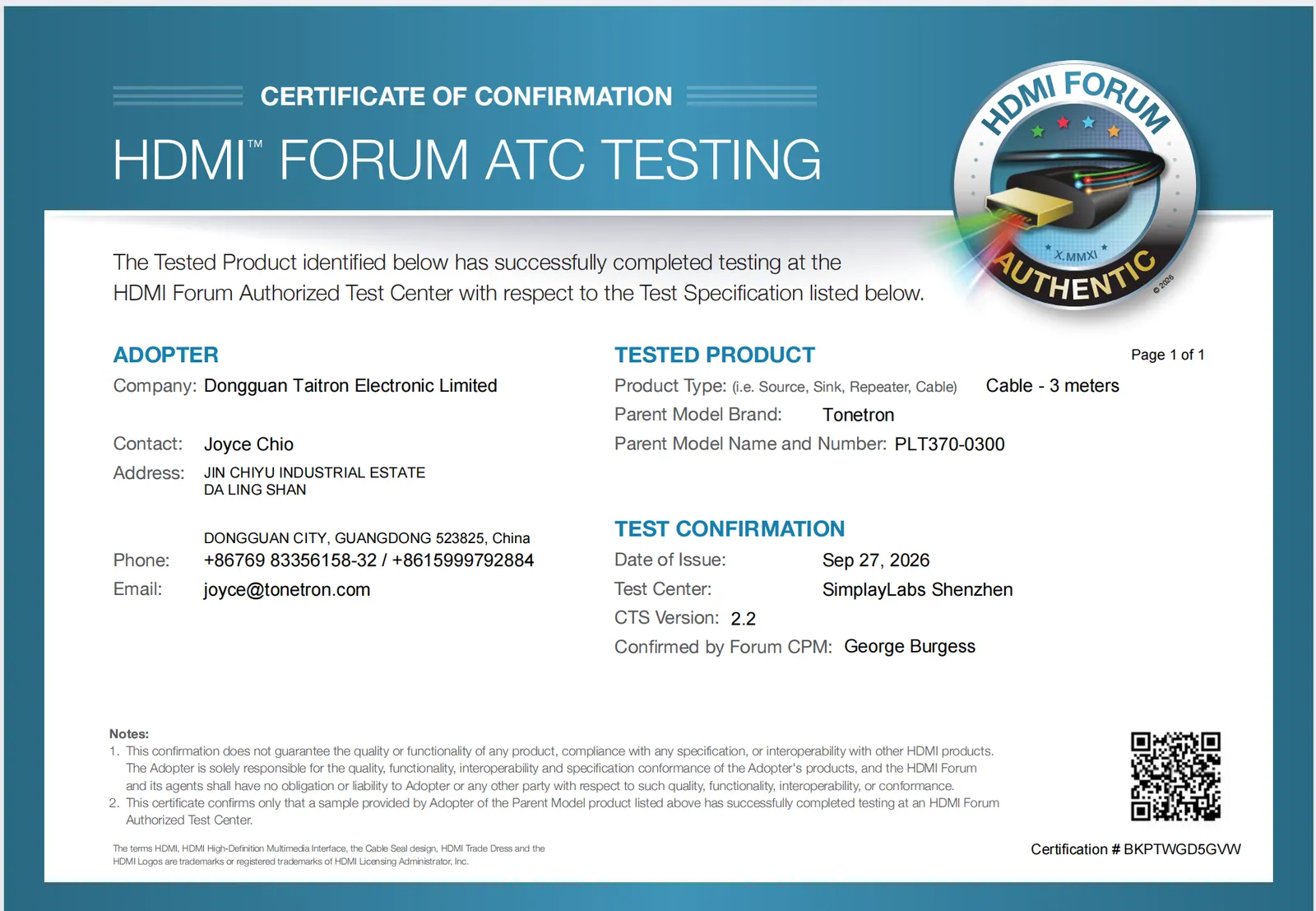
One thing we have to say about our own row. That certification was real — the cable was tested and passed in January 2022. But our USB-IF membership has since lapsed, so this entry is no longer in the public product search at usb.org, and the Integrators List itself now requires a member login. In other words: if you follow the advice above and check our TID, you will not find it. We hold the certificate on file and send it on request. If you would rather verify something without taking our word for it, use this instead: search “Dongguan Taitron” in the official HDMI™ Adopter directory — Dongguan Taitron Electronic Limited, licensed continuously since June 2005, with this website listed against the record.
If a supplier cannot give you a TID, the cable is not USB-IF certified. That is not automatically disqualifying — plenty of good cables are uncertified — but it means the electrical claims rest entirely on the supplier's own testing, so ask what that testing was.
2. Ask whether there is an E-Marker, and what it reports
Any USB-C cable rated above 3 A, or carrying USB4 speeds, needs an E-Marker chip. The chip is what tells the charger and host what the cable can actually do. A cable sold as "240 W" with no E-Marker cannot negotiate 240 W — the host will fall back to 60 W and the buyer will never know why.
Our 240 W cable (PLT588, USB4 40 Gbps, PD 3.1, 2 m) carries an E-Marker for exactly this reason. Note that it is not USB-IF certified — only PF587A above is. We would rather say that plainly than let a certification on one model imply coverage of the whole range.
Both are listed under USB-C cables.
Request an OEM/ODM quote
Tonetron is the export brand of Dongguan Taitron Electronic Limited (东莞台昶电子有限公司), a cable and connectivity manufacturer in Dongguan, Guangdong, China. We supply HDMI™, USB-C, DisplayPort and custom cables worldwide, with OEM/ODM and private-label programs.
- Email: sales@tonetron.com
- Phone: +86-0769-83356158
- Contact form: tonetron.com/contact
Tell us your target specification, quantity and destination market and our team will respond with a tailored quote. MOQ, sample, tooling and lead-time figures are project-specific — please contact us for a quote.